| Poly Studio X32: Features and Buying Guide |
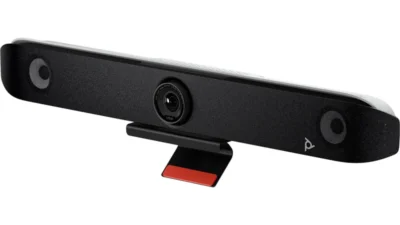
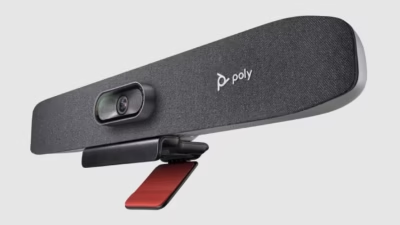
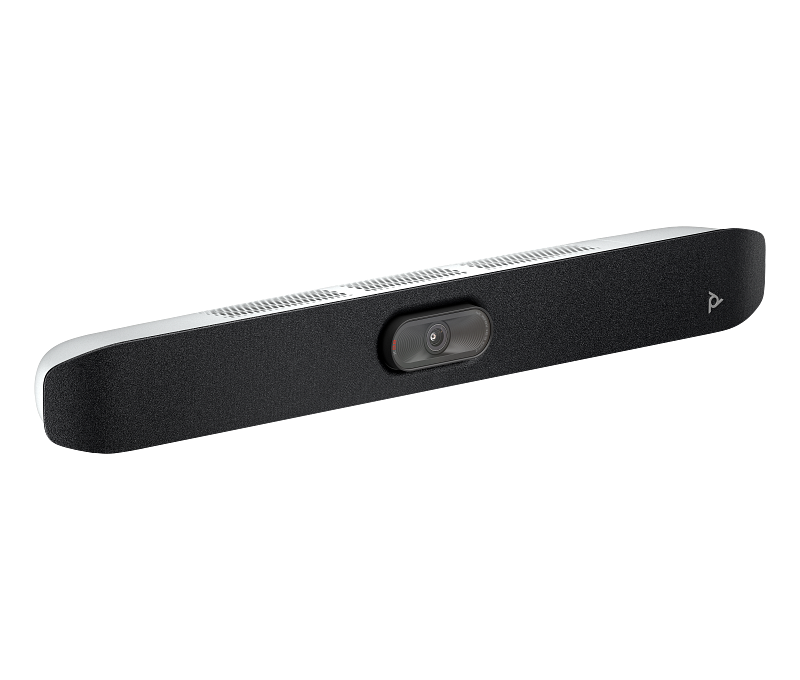
The Poly Studio X32 is a all-in-one video bar from Poly, built for small conference spaces wanting Poly’s newer-generation all-in-one bar. It’s positioned for small-room deployments, and like the rest of Poly’s collaboration range, it’s designed to work smoothly with the major video and calling platforms businesses already rely on — Microsoft Teams, Zoom, Google Meet and others — rather than locking you into one ecosystem.
Key Features
- All-in-one camera, microphone, speaker and compute in a single bar
- Runs Poly’s current VideoOS with native Teams, Zoom and Google Meet apps
- Built for small rooms stepping up from the X30
- Simple installation with no separate PC required
Who Should Consider the Poly Studio X32
The Poly Studio X32 is a good fit for small conference spaces wanting Poly’s newer-generation all-in-one bar. Because Poly segments its collaboration range by room size and user context rather than by industry, the same Poly Studio X32 shows up across sectors — IT and professional services firms, healthcare, education, manufacturing and government offices all deploy the same tier of Poly hardware for similar reasons: predictable audio and video quality, straightforward setup, and platform-agnostic compatibility.
Setup and Compatibility
Most Poly devices in this class are built for simple deployment — plug-and-play USB connectivity for BYOD (bring-your-own-device) setups, or, where the device includes its own compute module, native support for cloud video platforms without a separate PC. IT teams managing multiple devices across sites can typically monitor and update them remotely through Poly’s device management tools, rather than needing a site visit for every configuration change.
Why Buy the Poly Studio X32 from MetaPoint Technologies
MetaPoint Technologies is an authorised Poly partner with 15 years of IT infrastructure experience, serving enterprise and SMB clients across Hyderabad, Telangana, Andhra Pradesh and Karnataka. Beyond supplying the Poly Studio X32 at a competitive price, our pre-sales team helps confirm it’s the right device for your room size or user context, and our delivery team handles installation and setup where needed.
Frequently Asked Questions
What is the Poly Studio X32 used for?
The Poly Studio X32 is a all-in-one video bar built for small conference spaces wanting Poly’s newer-generation all-in-one bar. It’s typically chosen where all-in-one camera, microphone, speaker and compute in a single bar matters alongside runs poly’s current videoos with native teams, zoom and google meet apps.
Is MetaPoint Technologies an authorised Poly partner in South India?
Yes. MetaPoint Technologies is an authorised Poly partner, supplying, installing and supporting Poly products for enterprise and SMB clients across Hyderabad, Telangana, Andhra Pradesh and Karnataka.
Who should consider the Poly Studio X32?
It suits small-room deployments where the priority is small conference spaces wanting Poly’s newer-generation all-in-one bar. MetaPoint Technologies’s team can confirm it’s the right fit for your specific room or user before you buy.
How do I get pricing for the Poly Studio X32?
Contact MetaPoint Technologies’s pre-sales team on WhatsApp or call +91 99895 44438 for a tailored quote covering the device and, where relevant, installation across Hyderabad, Telangana, Andhra Pradesh and Karnataka.
Get a Quote
To get pricing on the Poly Studio X32, reach out to MetaPoint Technologies’s pre-sales team on WhatsApp or call +91 99895 44438. We serve customers across Hyderabad, Telangana, Andhra Pradesh and Karnataka and can advise on fit before you buy.”